
You’ve built a game, but now the real question is, how do you publish it on Steam and reach actual players?
Most developers don’t struggle with building the game. The real challenge starts when they try to figure out how to release it properly on Steam.
If you are trying to understand how to publish a game on Steam, the process is not random. It follows a clear system inside Steamworks, and every step has a purpose from setup to release.
Steam is one of the biggest platforms for PC games, but success depends on following the publishing process correctly from start to finish.
In this guide, we will break down the complete process to publish a game on Steam step-by-step so you know exactly what to do at each stage, from setup to launch. Let’s dive in.
Is Publishing Your Game on Steam Worth It?
If you are planning to publish a game on Steam, it is important to understand why so many developers still choose it as their primary platform.
Steam is the largest PC gaming distribution platform with massive global reach and daily active player engagement across all genres. As of recent official data, Steam has crossed 40 million+ peak concurrent users and maintains over 130 million+ monthly active users, making it one of the most active gaming ecosystems in the world.
What makes Steam worth it for developers:
- Steam gives direct access to a global PC gaming audience.
- It allows publishing without needing a traditional publisher.
- It supports organic discovery through wishlists and store algorithms.
- It provides long-term monetization through updates, DLCs, and seasonal sales.
For most developers, Steam is not just a publishing platform. It becomes a long-term distribution channel where visibility and revenue can grow over time if executed properly.
What Do You Need Before Publishing a Game on Steam?
Before you publish a game on Steam, there are a few essential requirements you must complete to move into Steamworks without delays. Most publishing issues happen because developers skip preparation and jump directly into upload, which leads to rejection or long review delays.
Steam expects both your game build and store setup to be ready before submission, including technical readiness and publishing details.
Here is what you actually need before publishing:
- A Fully Playable Game Build: Your game must be stable, tested, and playable without major bugs or crashes during normal usage.
- Steamworks Developer Access: You need a Steamworks partner account to access publishing tools, build uploads, and store management.
- Steam Direct Registration: Every game must be registered through Steam Direct with identity verification and a submission fee.
- Legal and Banking Information: Tax details, identity verification, and bank account setup are required for receiving revenue from Steam.
- Store Page Assets Ready: You must prepare game description, screenshots, trailers, tags, and capsule images before review submission.
- Understanding Steam Review Rules: Both your store page and game build go through review before approval, and compliance is mandatory.
Missing any of these steps can delay your release or stop your game from being published on Steam.
How To Publish a Game on Steam: Step-by-Step Process
Now, let’s take a look at how to publish a game on Steam, from account setup to final game release, in a step-by-step way, so you don’t miss anything important.
Step 1: Create Your Steamworks Developer Account
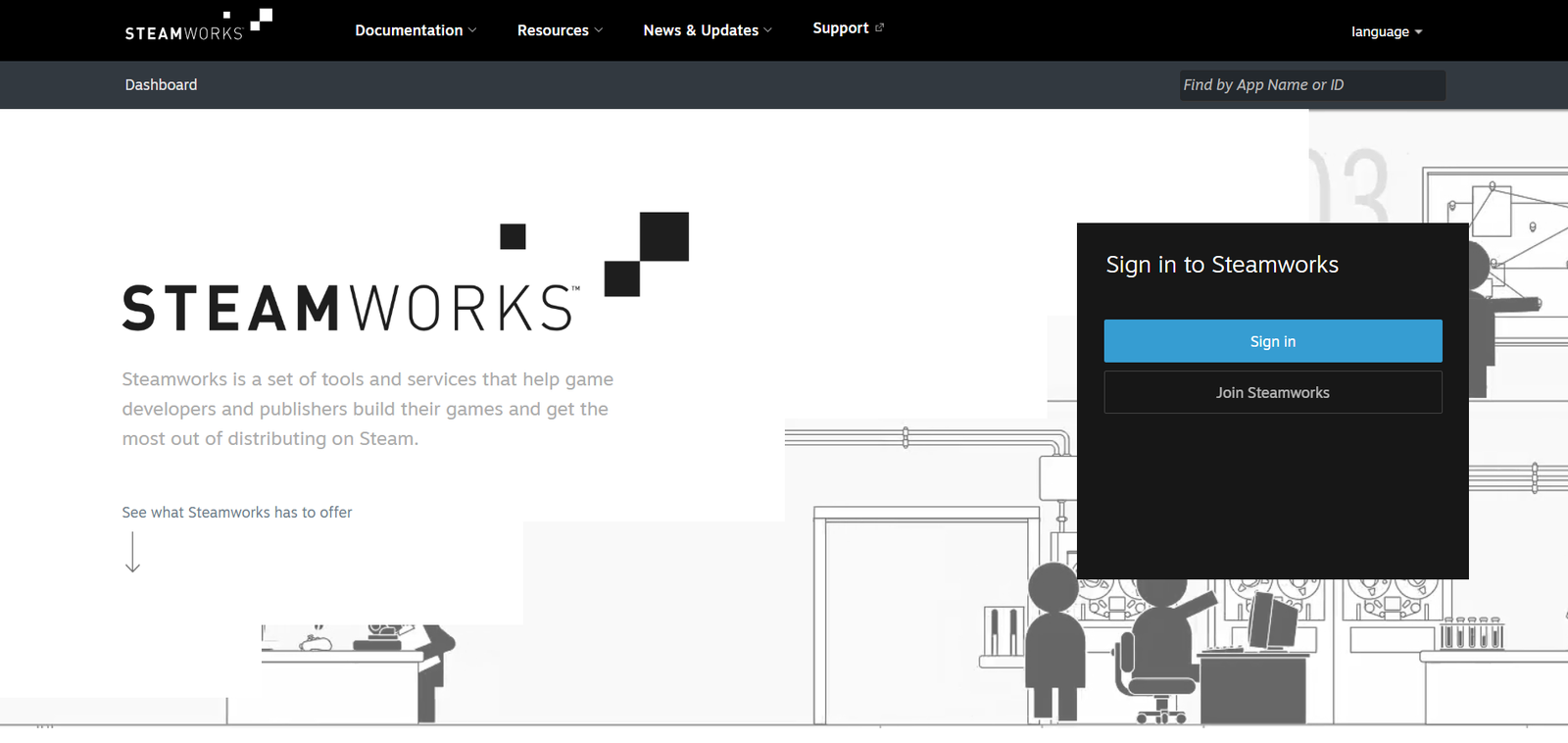
To publish a game on Steam, first you must create a Steamworks developer account to access publishing tools dashboard access.
Steamworks account setup requires joining partner program, agreeing to terms, and completing basic developer verification before access approval.
Once approved, you can manage games, builds, store pages, and revenue directly inside Steamworks dashboard system panel interface.
How to create your Steamworks account:
- Visit Steamworks website.
- Sign in with your Steam account.
- Create a Steamworks partner account.
- Complete identity and basic verification steps.
This account becomes your central control system for publishing, updating, and managing your game on Steam.
Step 2: Complete Steam Direct Registration and Pay the Fee
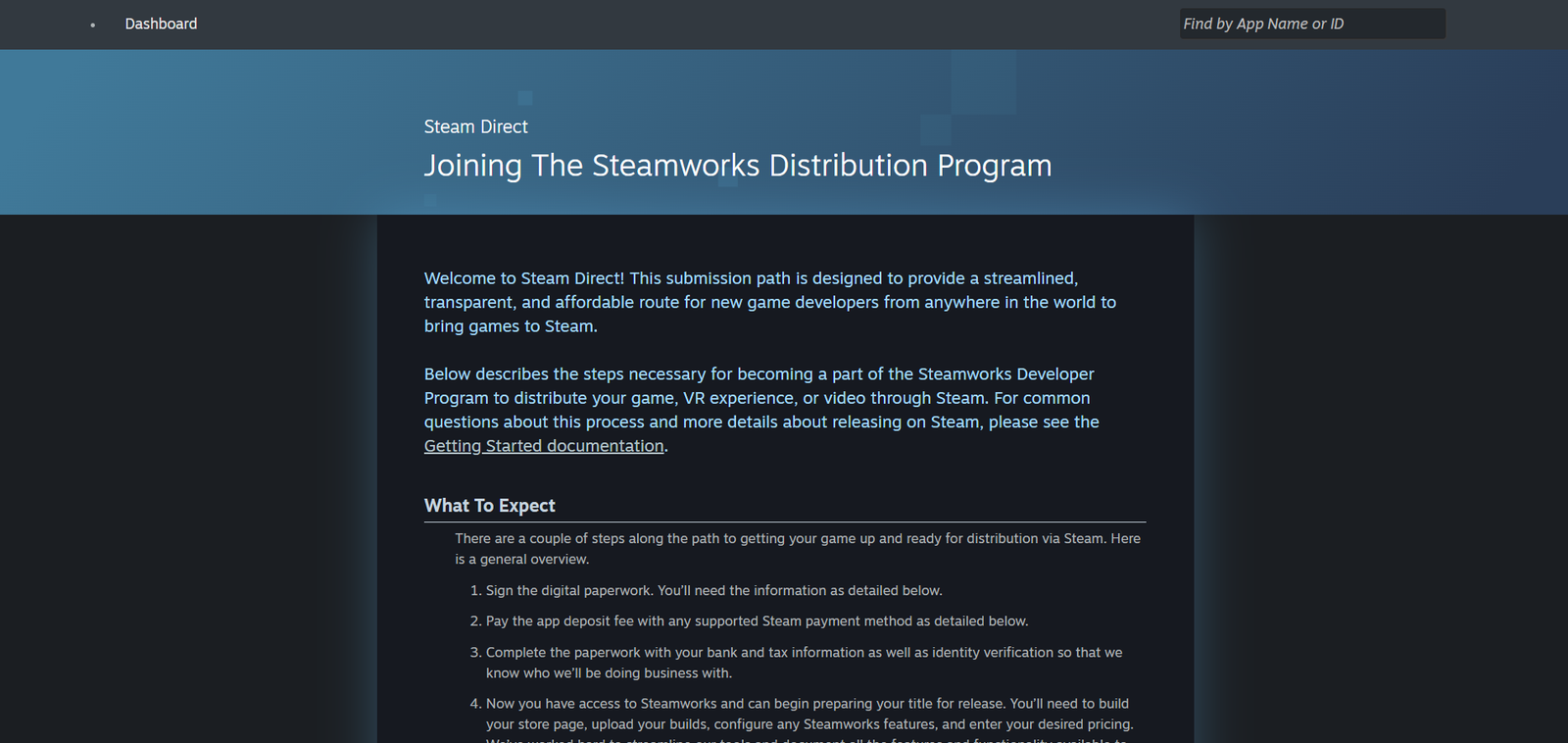
After creating your Steamworks account, the next requirement is completing Steam Direct registration to unlock publishing access.
Steam Direct is the official system that allows developers to submit and release games on Steam after verification and payment.
Each game requires a one-time $100 USD submission fee, which helps prevent spam and ensures developer authenticity on the platform.
Once the fee is paid and details are verified, your game gets access to publishing tools inside Steamworks for setup.
What you need to complete this step:
- Steam Direct registration inside Steamworks account.
- One-time payment of $100 per game submission.
- Identity verification and legal agreement acceptance.
- Banking and tax details setup for future payouts.
After completing this step, your game becomes eligible for store page creation and further publishing workflow inside Steam.
Step 3: Create and Set Up Your Steam Store Page
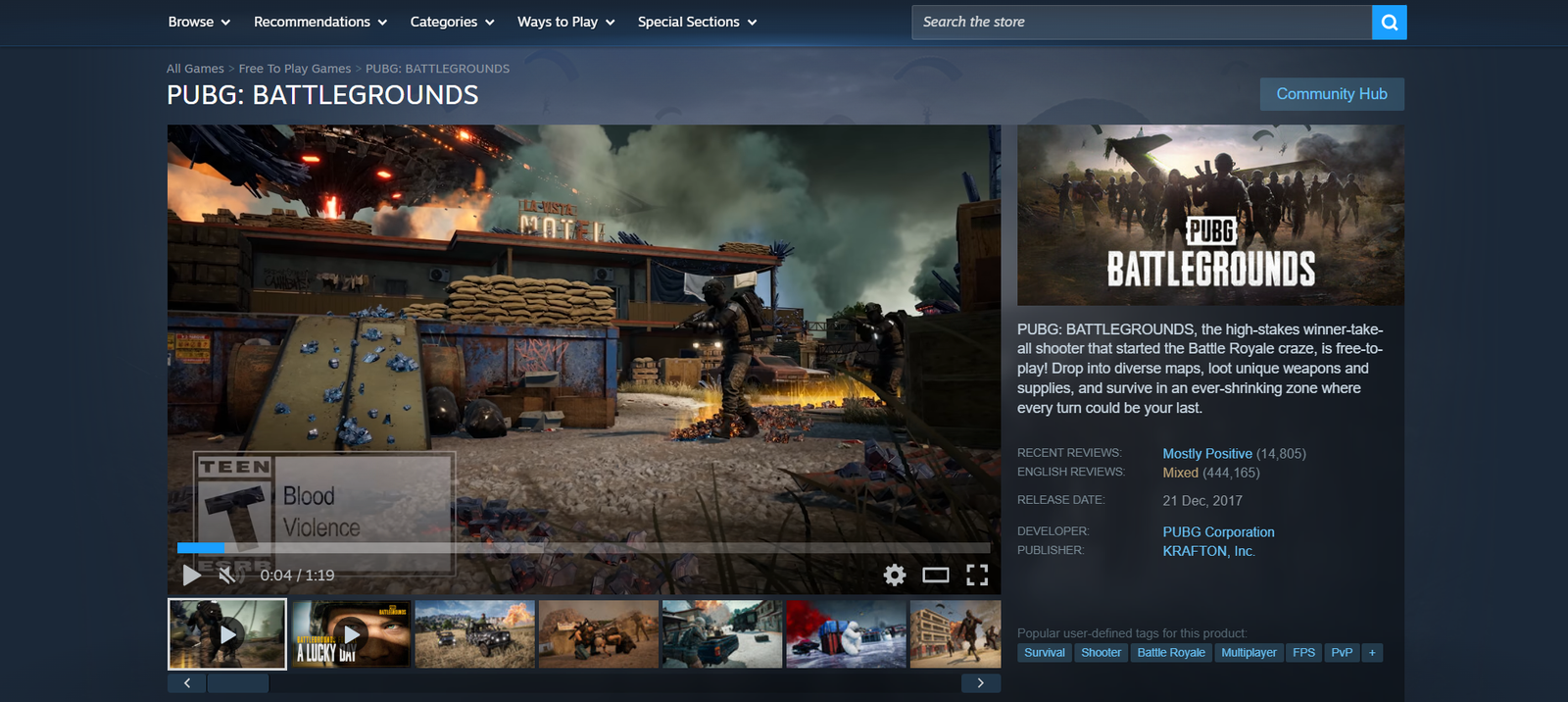
Once Steam Direct is completed, your next step is creating the store page that players will see before downloading.
Your Steam store page directly impacts visibility, wishlists, and conversions, so it must be clear, attractive, and optimized.
Steam also requires your store page to be live for at least two weeks before release for proper review and visibility.
What you need to set up your store page:
- Game title, short description, and detailed description.
- High-quality screenshots showing real gameplay moments.
- Trailer video that clearly explains your game experience.
- Relevant tags and categories for better discoverability.
- Capsule images in required Steam formats.
A strong store page increases wishlist conversions, which directly impacts how your game performs during launch on Steam.
Step 4: Upload Your Game Build Using Steamworks Tools
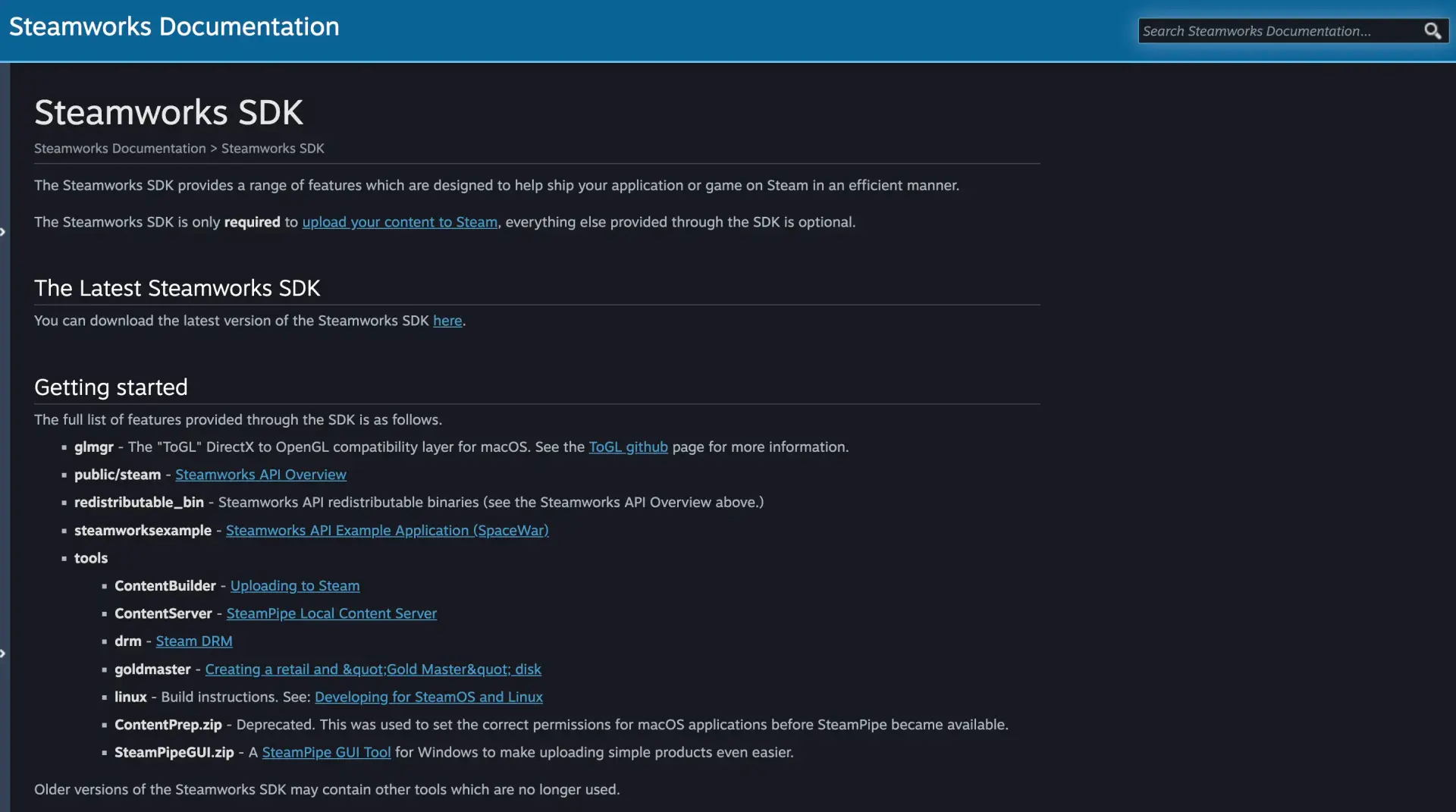
After setting up your store page, you need to upload your game build so it can be tested and reviewed.
Steam uses its own system called SteamPipe, which allows developers to upload, manage, and update game builds efficiently.
This step is critical because your uploaded build is what Steam reviews before approving your game for release.
What you need to upload your game build:
- Download Steamworks SDK from official developer portal.
- Configure your game build files for SteamPipe upload.
- Create depots and assign content properly.
- Upload build using ContentBuilder tool.
- Test your build through private or beta branches.
A properly uploaded and tested build reduces review issues and ensures your game runs smoothly when players install it.
Step 5: Submit Your Game for Steam Review
After uploading your build and completing store setup, you must submit your game for Steam’s official review process.
Steam reviews both your store page and game build to ensure everything meets platform guidelines and works as expected. This review is mandatory before release, and most approvals take a few days if everything is correctly prepared.
What Steam checks during review:
- Game build runs properly without major crashes or blocking issues.
- Store page matches actual gameplay and is not misleading.
- Content follows Steam guidelines and regional compliance rules.
- All required assets and details are properly completed.
Submitting early is important because any issue found during review can delay your planned launch timeline significantly.
Step 6: Plan Your Launch and Marketing Strategy
Getting approved is not enough. Your launch performance depends on how many players are ready to discover your game on day one.
Steam’s algorithm favors games with strong early engagement, especially wishlists, traffic, and player activity during the initial release period.
Here is how launch preparation impacts your results:
| Metric | Why It Matters |
| Wishlists | Drives visibility on launch day |
| External Traffic | Signals demand to the Steam algorithm |
| Community Activity | Improves engagement and retention |
| Early Reviews | Builds trust and conversion |
Key actions before launch:
- Create a “Coming Soon” page early to collect wishlists.
- Share gameplay clips across social platforms regularly.
- Build a community through Discord or similar channels.
- Collaborate with creators or streamers for early exposure.
Games with higher wishlist counts typically gain better visibility during launch, increasing chances of organic discovery on Steam platform.
Step 7: Release Your Game on Steam
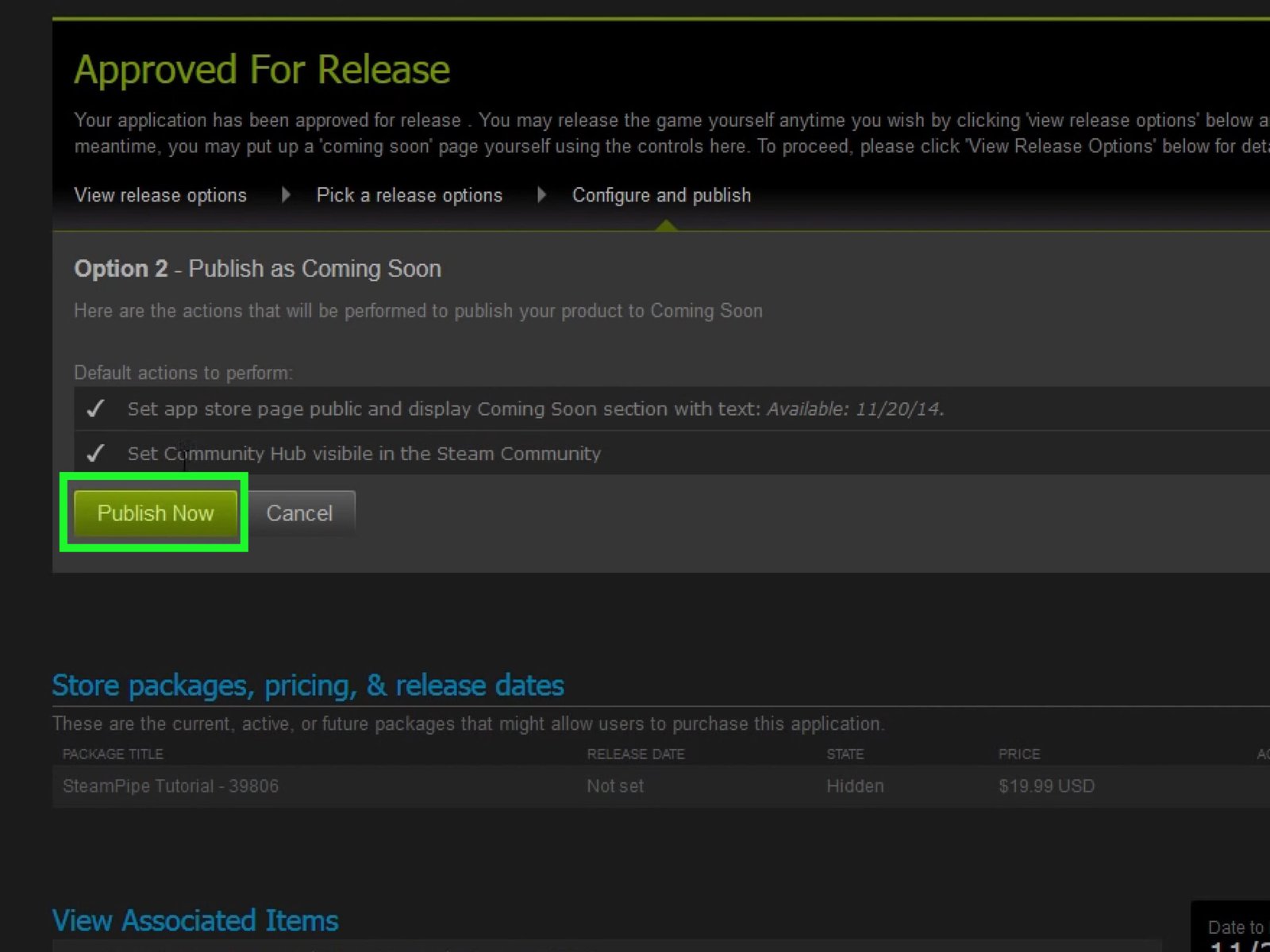
Once your game is approved and your launch plan is ready, you can move to the final release stage inside Steamworks.
This step is where your game becomes publicly available and starts receiving real traffic, players, and engagement on the platform.
Before releasing, double-check everything to avoid issues after launch:
- Release timing is set correctly for your target audience.
- Pricing and regional settings are properly configured.
- Store page content matches your final game build.
- All builds and branches are marked ready for release.
After publishing, your game goes live instantly and becomes visible across Steam search, categories, and recommendation systems.
Your first 24 to 48 hours are critical because early performance signals influence how much visibility Steam gives your game.
What Should You Do After Publishing on Steam?
Publishing your game is only the beginning. What you do after launch decides whether your game grows or disappears quickly.
Steam continues promoting games that stay active through updates, player engagement, and consistent activity signals after release.
Here is what you should focus on immediately after launch:
- Monitor Player Feedback: Track reviews, bug reports, and gameplay feedback to understand real player experience and identify issues quickly.
- Release Updates Consistently: Fix bugs, improve performance, and add content updates to keep players engaged and improve retention.
- Engage With Your Community: Reply to reviews, participate in discussions, and build trust with your player base directly on Steam.
- Run Discounts and Promotions: Participate in Steam sales events and offer discounts to boost visibility and attract new players.
- Analyze Performance Data: Use Steamworks analytics to track conversions, traffic sources, and player behavior to improve future decisions.
Games that actively update and engage players tend to perform better over time compared to games left without updates.
FAQs About Publishing a Game on Steam
Here are some common questions developers ask when planning to publish a game on Steam and launch successfully.
Q1. Do you need a company to publish a game on Steam?
No, individual developers can publish games on Steam by completing identity verification and Steamworks partner registration.
Q2. How long does it take to publish a game on Steam?
Publishing usually takes a few days after submission, but preparation, store setup, and wishlist building can take weeks.
Q3. Can you update your game after publishing on Steam?
Yes, Steam allows unlimited updates, patches, and content changes after release through Steamworks build and update system.
Q4. What affects your game visibility on Steam?
Visibility depends on wishlists, early sales, player engagement, reviews, and external traffic during and after launch.
Q5. How much does it cost to publish a game on Steam?
Steam charges a one-time $100 fee per game through Steam Direct before allowing you to publish.
Q6. Does Steam take a 30% cut from game revenue?
Yes, Steam takes a standard 30% revenue share, which decreases for higher revenue thresholds.
Q7. Can you sell a game on Steam as an independent developer?
Yes, developers can sell games independently without publishers by using Steamworks tools and completing the required setup.
Q8. Do you legally own your game after publishing on Steam?
Yes, developers retain ownership of their game, while Steam only distributes and earns a revenue share.
Conclusion
Publishing a game on Steam is a step-by-step process that needs proper setup, preparation, and execution at every stage.
From creating your Steamworks account to building your store page and preparing your game for release, every step directly impacts your game’s success on Steam.
Following the correct process helps improve approval chances, visibility, and long-term player engagement after launch.
If done right, Steam becomes more than a platform and turns into a strong growth channel for your game.